Regions Bank
- 4.4
- Rating
- 5.00M
- Installs
- Free
- Price

 Analysis by App-foxy
Managing money on a shared phone or coordinating household finances can be surprisingly awkward. One person may need to check whether a payment cleared, another may be watching the balance before buying groceries, and nobody wants to pass around a laptop just to handle a routine banking task. I found Regions Bank most useful in exactly that kind of everyday situation: it puts mobile access to a Regions account in a familiar finance app, while still leaving important questions about account ownership and personal boundaries to the people using it.
Developed by Regions Bank, this free app is aimed at customers who want to handle ordinary banking from an Android or iOS device. It is not a general-purpose budgeting tool or a shared household ledger. That distinction matters. I see it as a direct connection to Regions banking rather than a replacement for a separate app that combines several banks, tracks cash spending, or gives a complete view of a family’s finances.
Its long presence also gives it a sense of familiarity. The app was released on August 24, 2012, and the current version is 8.7.0.1. On the Android side, it requires OS 11 or newer. The store listing shows a 4.4 average from roughly 128,000 ratings, with more than 5 million installs, so this is clearly an established mobile banking option rather than a new experiment.
You May Also Like

 Blood Strike: 2.5 Anniversary
Blood Strike’s Loadouts Turn Every Drop Into a Tactical Gamble
A close look at Blood Strike’s custom loadouts: how fast access to signature weapons reshapes its battle royale rhythm, rewards preparation, and narrows the gap between fights.

 Pandora - Music & Podcasts
Pandora’s Music Is Easy to Start, but Harder to Recover
Pandora’s strength is its low-effort path from a seed to a station. Its weak spot is how much confidence it asks you to place in connection, setup, and quiet recovery.

 8 Ball Pool
 Is Built on Rivalries, Rematches, and Routine
A close look at the rivalries, rematches, shared routines, and unanswered safety questions that turn a quick pool match into a persistent mobile community.

 Samsung Music
’s Quiet Strength Is Playing What You Already Own
Its reach comes less from spectacle than from dependable access to a personal library. That simplicity is both the app’s strongest retention engine and its ceiling.

 AccuWeather: Weather Radar
AccuWeather Review: A Quick, Clear Forecast for Everyday Decisions
For everyday plans, the best forecast is the one you can understand quickly. AccuWeather makes rain timing, radar, and local conditions easy to act on, with a few trade-offs.

 Hill Climb Racing
Why Hill Climb Racing Still Turns Crashes Into One More Run
A tiny car, a bumpy hill and one more upgrade: Hill Climb Racing keeps resurfacing because its simple chaos makes every near-miss feel personal.
More From Our News Desk



How Regions Bank fits into shared household banking
Imagine a couple sharing responsibility for weekly shopping. One person is at the supermarket and wants to check the available balance before paying, while the other is at home reviewing recent activity. The useful part of a mobile banking app in that moment is not elaborate planning; it is quick access to the account information each person is already authorized to use. A phone-based check can prevent an unnecessary declined transaction or a last-minute message asking someone else to open a computer.
That scenario works best when both people understand the account arrangement before installing anything. The app does not turn separate accounts into one shared workspace. If two household members have different Regions relationships, each person should treat their own sign-in and account access as personal. The app may make coordination easier, but it does not remove the need to agree on who is responsible for which bills, purchases, or transfers.
I would not use one person’s credentials as a casual household password. That creates confusion about who is viewing or changing financial information, especially on a phone that several people use. A better approach is for each authorized customer to use their own access where applicable and to keep the device’s general security under control. The practical lesson is simple: shared household planning is fine, but shared credentials are a poor substitute for clearly defined account access.
This is also where the app differs from a family budgeting product. A budgeting app can be designed around categories, shared goals, and a combined household picture. Regions Bank is more tightly connected to banking with Regions. That directness is a strength when I need current account information or routine account management, but it is a limitation when I want to compare balances across several institutions or build a complete household spending plan.
What to decide before putting it on a shared device
Before installing it on a tablet or phone used by more than one person, I would first decide whether the device is genuinely personal or communal. A personal phone gives a cleaner boundary because its screen access, notifications, and general login environment belong to one user. A shared tablet may be convenient in the kitchen, but it increases the chance that another person sees financial information simply because the device is left open.
I would also separate the question of app access from the question of account authority. Installing the app does not automatically make someone entitled to view a particular account. The relevant boundary is the banking relationship and the access assigned to that user, not whether they are a spouse, roommate, teenager, or caregiver. That is an important distinction for households that want cooperation without giving every person unrestricted visibility.
For setup, I recommend choosing a quiet moment rather than trying to register or sign in while standing in a checkout line. Have the correct Regions customer information available, use a private connection you trust, and review the device’s lock settings first. If the phone is passed between family members, do not leave the app open after checking a balance. These are ordinary habits, but they matter more for a banking app than they do for a weather or shopping app.
Another useful boundary is deciding who handles troubleshooting. If one person is the household’s financial organizer, that person can help explain which account should be visible and what a transaction means, but they should not automatically take over another adult’s login. Keeping those roles separate avoids a common problem: one technically confident user becoming the unofficial gatekeeper for everyone else’s money.
Age also changes the conversation. The Everyone content rating makes the app broadly suitable from a store-rating perspective, but that does not mean every child should receive access to an adult’s banking account. Age suitability for an app and financial authorization are different issues. I would introduce a younger household member to concepts such as checking a balance or recognizing a transaction without assuming that the app itself provides a special learning environment or family supervision system.
Coordinating bills, purchases, and account checks
The strongest household use case is quick coordination around real accounts. A person paying a utility bill can check whether the money is available before submitting it. Someone collecting receipts can review recent activity later. A partner who is away from home can confirm the status of a routine transaction without waiting for access to a shared computer. These small checks reduce friction because they happen close to the moment when a decision is needed.
I find it helpful to agree on a simple communication rule: checking an account is not the same as approving a purchase for someone else. If one person sees the balance and another wants to spend from it, the app can provide information, but the household still needs its own agreement about timing and priorities. This keeps the technology in its proper role. It shows what is happening with the account; it does not settle disagreements about the money.
A second practical rule is to use transaction review as a reconciliation habit rather than a substitute for record keeping. After a shared purchase, the person responsible for household records can note the amount and purpose in whatever system the family already uses. The Regions app can be the place to check the banking activity, while a separate spreadsheet or budgeting tool can hold the longer-term plan. Trying to force one banking app to perform every organizational task usually creates more work.
There is also a useful trade-off between speed and context. A mobile banking app is handy when I need a fast answer, but a small phone screen is not ideal for examining months of spending or discussing a complicated household budget. For a quick balance check, the phone wins. For a monthly review, a larger screen or dedicated budgeting software may be easier to understand. Choosing the right tool for the task is more effective than expecting the app to cover every financial workflow.
When several people coordinate, naming conventions outside the app can help. For example, a household can agree that one person reports unusual activity, another records recurring bills, and both review major changes together. I would not assume the app provides a built-in shared notes area or family dashboard. The coordination method should therefore be agreed upon independently, with the app serving as the banking reference point.
Trust, privacy, and different household ages
Trust is not only about whether family members are honest. It is also about preventing accidental exposure. A notification preview, an unlocked screen, or a forgotten session can reveal more than intended. On a shared device, I would pay attention to who can pick up the phone, whether the device uses separate user profiles, and whether the household is comfortable with financial information appearing during ordinary use.
For adult partners with genuinely shared finances, the app can make routine coordination feel less formal. Each person can deal with banking when convenient instead of waiting for a scheduled household meeting. But convenience should not be confused with equal access. Some couples intentionally keep parts of their finances separate, and the app is better suited to that arrangement when each person respects the account boundaries already in place.
For roommates, the situation is narrower. I would not recommend installing the app on a communal device simply because several people contribute to rent or utilities. A shared bill does not necessarily justify shared visibility into savings, deposits, or unrelated transactions. A roommate can send their portion through whatever arrangement the household has chosen without needing access to another person’s complete banking environment.
For older relatives or caregivers, the main benefit may be reducing the need to use a desktop computer. However, assistance should be arranged carefully. If someone needs help reading an account or completing a routine task, I would prefer a supervised process that preserves the account holder’s control rather than permanently handing over a password. The app can be part of that process, but it cannot replace a clear agreement about consent and responsibility.
For teenagers, I would treat the Everyone rating as a basic content classification, not as a recommendation to provide banking access. A parent may use the app while explaining how balances and transactions work, but the right level of access depends on the actual account arrangement and the young person’s maturity. I would start with education and observation, not with unrestricted use of an adult account.
Where it beats alternatives, and where it does not
Compared with visiting a branch or waiting to use a desktop browser, a mobile banking app is more convenient for a quick check while away from home. That is especially valuable for a household member who handles errands during the day. Compared with a generic finance tracker, Regions Bank has the advantage of being tied to the Regions banking relationship rather than requiring me to manually reconstruct every account event elsewhere.
The trade-off is breadth. A multi-bank finance app is usually the better choice for someone who wants one screen covering accounts at several institutions. A dedicated budgeting app may be better for category planning, shared goals, debt payoff schedules, or detailed monthly analysis. Regions Bank makes more sense when the main need is access to Regions banking, not when the main need is a complete financial command center.
I would also avoid choosing it solely because a household wants a shared money-management experience. The app can support conversations, but it is not the same as a collaborative family planner. If the central requirement is assigning chores, splitting every bill, tracking cash, or allowing several people to annotate the same budget, another tool may fit better alongside the banking app.
Its free price removes one obvious barrier for eligible Regions customers, and the Everyone rating makes it easy to consider for a broad household audience. Still, “free” does not mean the app is useful to everyone. Someone without a Regions banking relationship may get more value from a bank-agnostic finance app, while someone who rarely uses mobile banking may prefer established desktop or in-person habits.
My practical verdict for a household
After looking at it through the lens of shared devices and family coordination, I see Regions Bank as a sensible companion for Regions customers who want everyday banking access close at hand. It is particularly useful when one person needs to check an account during an errand, when partners want fewer delays around routine payments, or when a household is moving away from relying on a single computer.
I would install it on a personal device whenever possible, define account boundaries before involving other household members, and treat the app as a secure banking access point rather than a family control panel. For shared devices, careful locking and deliberate sign-out habits are more important than convenience. For children, roommates, and caregivers, access should follow actual authorization rather than household closeness.
The broad adoption shown by its rating and install figures supports my view that it is a mature choice for its intended audience, but popularity does not change its scope. It is not a universal budgeting solution, and it should not be expected to coordinate a household automatically. My recommendation is straightforward: choose it when your priority is convenient Regions account access, and pair it with a separate planning method when your household needs deeper collaboration.
For that purpose, the app earns a place on my phone. It handles the immediate banking question well enough to make everyday coordination easier, while the important work of trust, privacy, and shared financial decisions remains with the people using it. That balance is exactly why I would recommend it to a Regions customer, but only after deciding who should see which accounts and how the household will communicate about the money.
FAQs for Regions Bank
01What is Regions Bank, and what can I do with its mobile app?
Regions Bank is a U.S. financial institution offering checking and savings accounts, credit cards, loans, mortgages, and other banking services. Its mobile app generally allows customers to review balances and transactions, transfer money, deposit eligible checks, pay bills, manage cards, locate branches or ATMs, and contact support. Available features may depend on your account type, location, and enrollment status.
02Is the Regions Bank app safe to use for mobile banking?
The Regions Bank app is designed with common banking security measures, including encrypted connections, login protection, alerts, and options such as biometric authentication on compatible devices. However, no app can eliminate every risk. Download it only from the official Google Play Store or Apple App Store, keep your device updated, avoid public Wi-Fi for sensitive activity, and never share passwords or one-time security codes.
03Can I deposit checks using the Regions Bank mobile app?
Eligible Regions Bank customers may be able to deposit checks through the app by photographing the front and endorsed back of each check. The images must be clear, and the check should meet the bank’s requirements. Deposit limits, availability of funds, processing times, and eligibility can vary. Keep the original check safely until the deposit is confirmed, then follow Regions’ retention instructions.
04Does the Regions Bank app charge fees for its mobile banking features?
Downloading and using basic mobile banking features may not involve a separate app fee, but normal account-related charges can still apply. For example, fees may depend on your checking account, overdraft services, wire transfers, expedited payments, or other transactions. Mobile data and messaging charges may also come from your carrier. Review the current Regions fee schedule and account terms before using paid services.
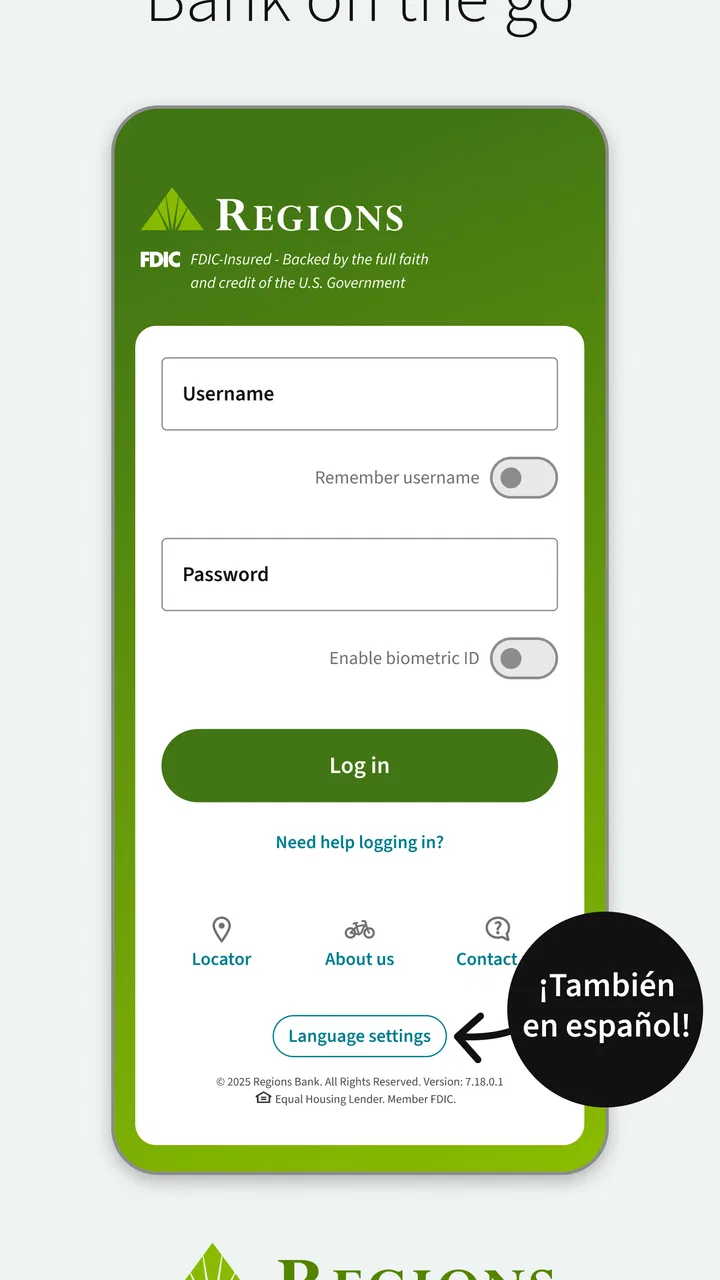
05What should I do if I cannot log in to the Regions Bank app?
If you cannot access the app, first verify your username, password, internet connection, and device software. Use the official password or username recovery options rather than repeatedly guessing credentials, since multiple failed attempts may trigger a lockout. If the app is unavailable, check for updates or service notices and contact Regions through an official website, branch, or phone number—not through suspicious messages or links.
Pros
- Mobile check deposit is convenient for everyday banking.
- Bill pay helps manage recurring payments in one place.
- Spending insights make it easier to monitor account activity.
- Card controls can help protect a misplaced or compromised debit card.
- Secure login options provide an extra layer of account protection.
Cons
- Some features may require an eligible Regions account or card.
- App performance can vary depending on device and connection quality.
- Certain transfers may be subject to limits
- fees
- or processing delays.
- Customer support availability may be limited outside business hours.
- The interface may feel less intuitive for first-time mobile banking users.

Regions Bank
Gallery